
Everything Oswin does with your library.
Ask questions and get cited answers, turn a book into study notes, compare what your sources say, and write it up with the footnotes intact. All of it on your own computer.
Answers with footnotes, and quotations checked word for word.
Ask in plain English. Oswin finds the passages in your documents, writes the answer from them and puts a footnote after each sentence a passage supports. Every quotation is checked against the source, word for word.
- Footnotes to the page. Each note points to the document and the page, section or paragraph it came from.
- Verified quotations. A green tick means the exact words are in your document. Click it and the source opens with the words highlighted.
- Never an invented source. Oswin only cites documents you have added. A plain chat has no footnotes at all, so nothing is made up.
- Three modes. Ask anything, Use my library, or Library only, which answers only from your documents and says so when they are silent.
- Any length. Short, a few paragraphs, or an essay of up to twenty paragraphs.
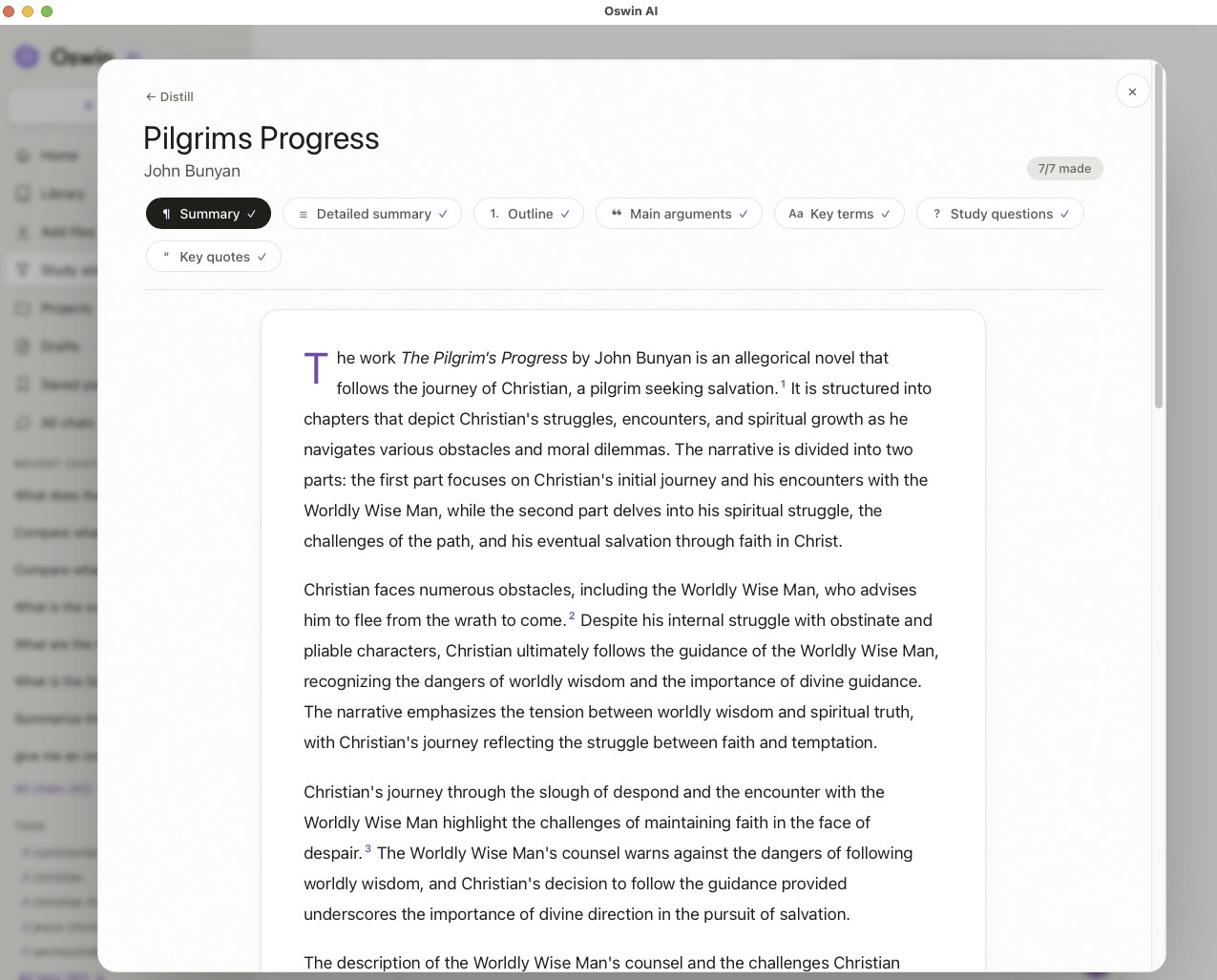
Turn any book into study notes in one click.
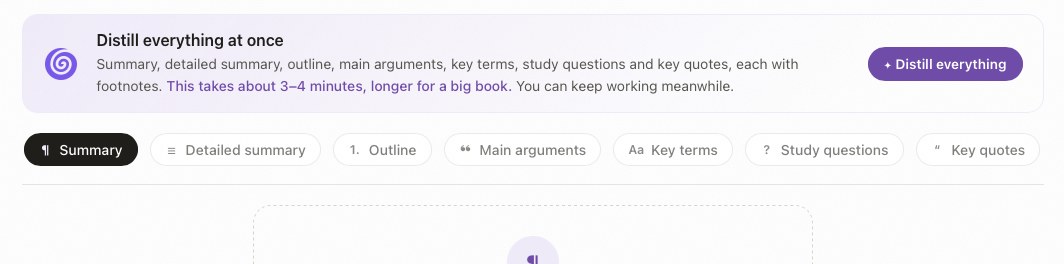
Pick a document and Oswin makes seven study aids from the whole work, each one footnoted to the page. They run in the background while you keep working, and they are kept with the document.
- Summary and detailed summary. A short overview, or a chapter-by-chapter account in paragraphs.
- Outline. The structure of the work, section by section.
- Main arguments. What the author argues, with the passages that show it.
- Key terms. The work's own vocabulary, explained from the text.
- Study questions. Questions for a class, a reading group or your own revision.
- Key quotes. The passages worth quoting, copied word for word.
What does each of your sources say?
Ask one question across up to eight documents and see each one's answer side by side, with its footnotes. Ideal for a literature review, a comparison essay or checking where authors disagree.
- Side by side. One short, cited answer per document, so differences are easy to see.
- Every survey kept. Surveys are saved on the Survey page, ready to reopen or export later.
- Pick the sources. Choose which documents to compare, up to eight at a time.
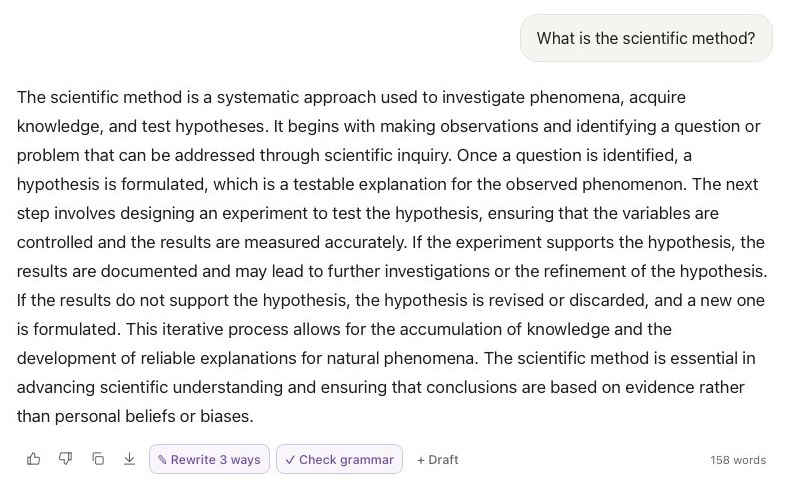
Rewrite, correct and draft without losing a footnote.
Oswin's writing tools keep the citations attached to the sentences they belong to, so improving your wording never breaks your references.
- Rewrite 3 ways. Three versions of an answer or paragraph to choose from; footnotes and exact quotations are kept.
- Check grammar. Spelling, grammar, wordy phrases and contractions, with US or UK spelling, and words from your own library treated as correct.
- Drafts. A writing view where answers, quotes and your own paragraphs come together with one numbered set of notes and one Works Cited list.
- Check your quotations. In a draft, Oswin checks every quotation against your library: verified, close (with the exact words), or not found.
- Refine. Click any paragraph to rewrite it as you ask, find what other books in your library say, or quote the source exactly.
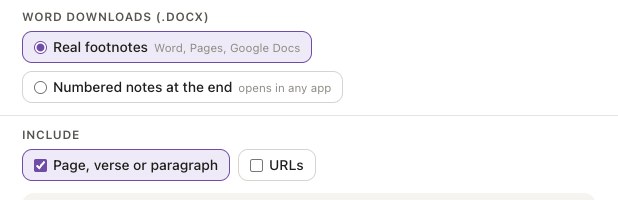
- Export. Word with real footnotes, Markdown, or copy with citations.
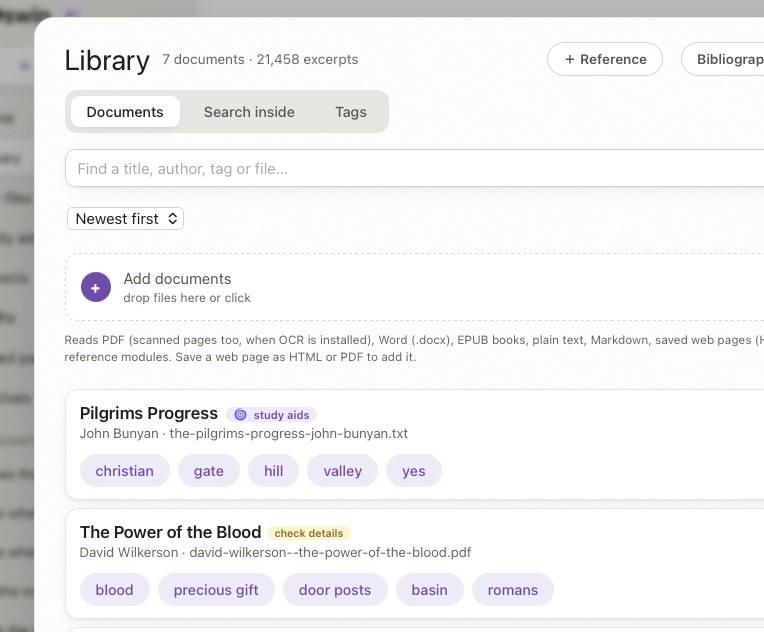
Drop in your files. Oswin sorts out the details.
Add PDFs, Word files, EPUB books, Markdown, text, web pages saved as HTML, and more. Oswin reads them on your computer, finds each title and author, and suggests tags.
- Titles and authors found for you. From the file, its text and its name. Anything guessed is marked so you can check it.
- Tags. Suggested automatically, or your own. Oswin uses them to find the right document even when you don't name it.
- Search inside. Search by meaning and keywords, or for an exact phrase, across everything you have added.
- Folders and projects. Keep documents in folders, and group chats, documents and notes into projects.
- Bibliographies in and out. Import BibTeX, RIS or CSL-JSON from Zotero, EndNote or Mendeley, and export your library's records.
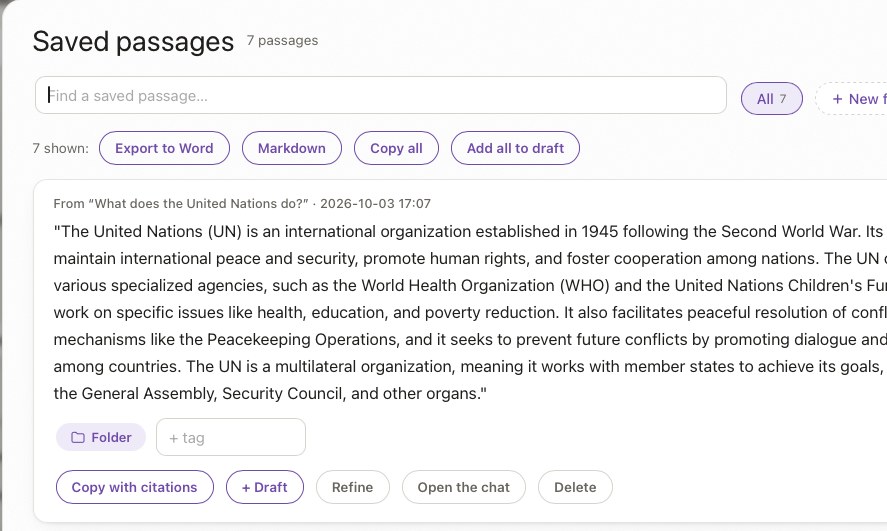
Keep the best answers and passages, ready to use.
Save any answer or passage with its citations. Organise them in folders and with tags, search them, and send them to a draft or export them all at once.
- Folders and tags. Sort saved passages your own way.
- Export all. To Word or Markdown in one click, or copy everything with citations.
- Straight into a draft. Add one passage or all of them to the draft you are writing.
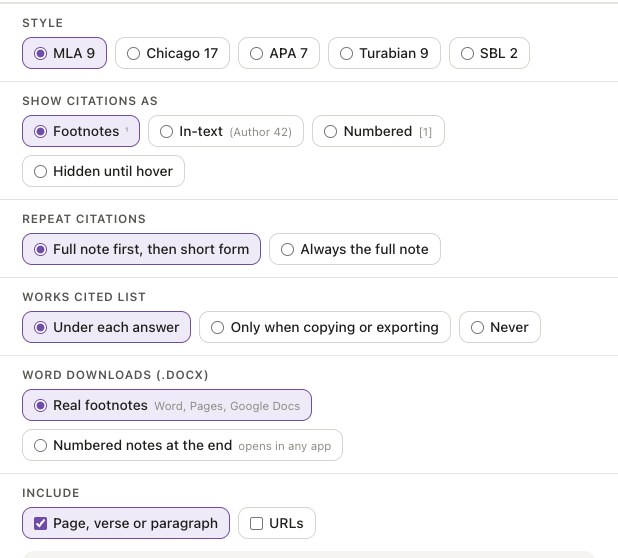
Five citation styles, and footnotes that follow your settings.
MLA 9, Chicago 17, APA 7, Turabian 9 and SBL 2. Choose footnotes, in-text citations, numbered brackets or notes hidden until you hover, and every answer, past and present, follows.
- Short form for repeats. Full note first, then the short form, as an editor would.
- Works Cited built for you. From each document's details, never written by the AI.
- Copy citation. Every source has a copy-citation button.
Your documents never leave your computer.
Oswin downloads its language model once, the first time you open it. After that it makes no internet connections at all: no account, no cloud, no tracking. It works the same with Wi-Fi off.
- Offline after the first start. The model, your library and every answer stay in one folder on your computer.
- It reads and writes, nothing more. Oswin can't browse the web, send messages or run programs. It works only with the files you give it.
- Family-friendly by default. A built-in filter declines harmful requests, and can be turned off in Settings.
- Backup in one file. Back up and restore your whole library from Help → Your data.
Try every feature free.
Oswin Free has all of it, with a daily allowance. No account, no card.